



Built on the platform
Lightning + SLDS, inside the existing Loyalty Management data model. No bespoke UI framework.
© UX Case Study · Promotion Calendar · Loyalty Cloud · Salesforce
A unified promotions calendar that lets teams plan, schedule, and visualize loyalty campaigns, spot coverage gaps and overlaps, turning scattered campaigns into a clear coordinated view.
The Problem
Loyalty teams were running dozens of overlapping promotions with no way to see them together over time.
Every promotion was a record with a start and end date, but planning happened in spreadsheets and side conversations. Managers could not tell, at a glance, where two offers collided, where a market had no coverage, or how a season actually looked. The result was accidental overlaps, quiet gaps, and last-minute firefighting.
How might we give loyalty teams a single, time-based view to plan and coordinate every promotion, so they can catch gaps and overlaps before launch, not after?
Constraints & guardrails
Lightning + SLDS, inside the existing Loyalty Management data model. No bespoke UI framework.
Visualize existing promotion records; any edit must write back safely to live data.
A program can hold hundreds of promotions across markets and tiers, so the view must stay legible and fast.
Persona

John Smith
Loyalty Program Admin
“I want to tailor a targeted promotions strategy, so I can acquire customers, grow their engagement and Lifetime Value, and retain their business.”
Jobs to be done
Visualize promotions to identify coverage and gaps based on customizable views.
Take in-screen actions on promotions such as create/edit, performance scorecard review, and comparisons.
Integrate easily through upload/download features to keep the visualization accurate and up to date.
Pain points
What promotions are running when, to maximise coverage and identify overlaps?
Which promotions should be extended, created, or discontinued?
How can promotions from other systems be visualized and collaborated on by all stakeholders in one place?
Summary
Design the Loyalty Promotion Calendar: a single, centralized Gantt-style view of every promotion and event in a loyalty program, with enough action built into the view that admins can create, extend, or curtail a promotion without leaving it. Scope covered from jobs-to-be-done and feature prioritization through secondary research on four existing Salesforce and competitor calendars, to a build-versus-reuse recommendation.
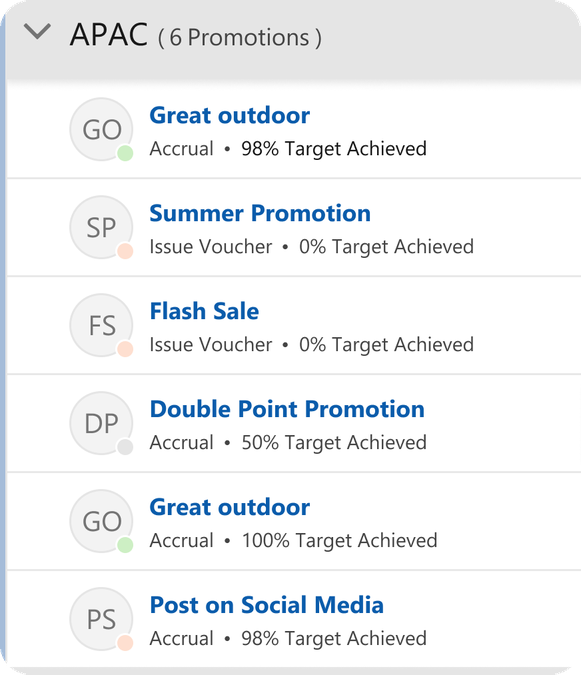
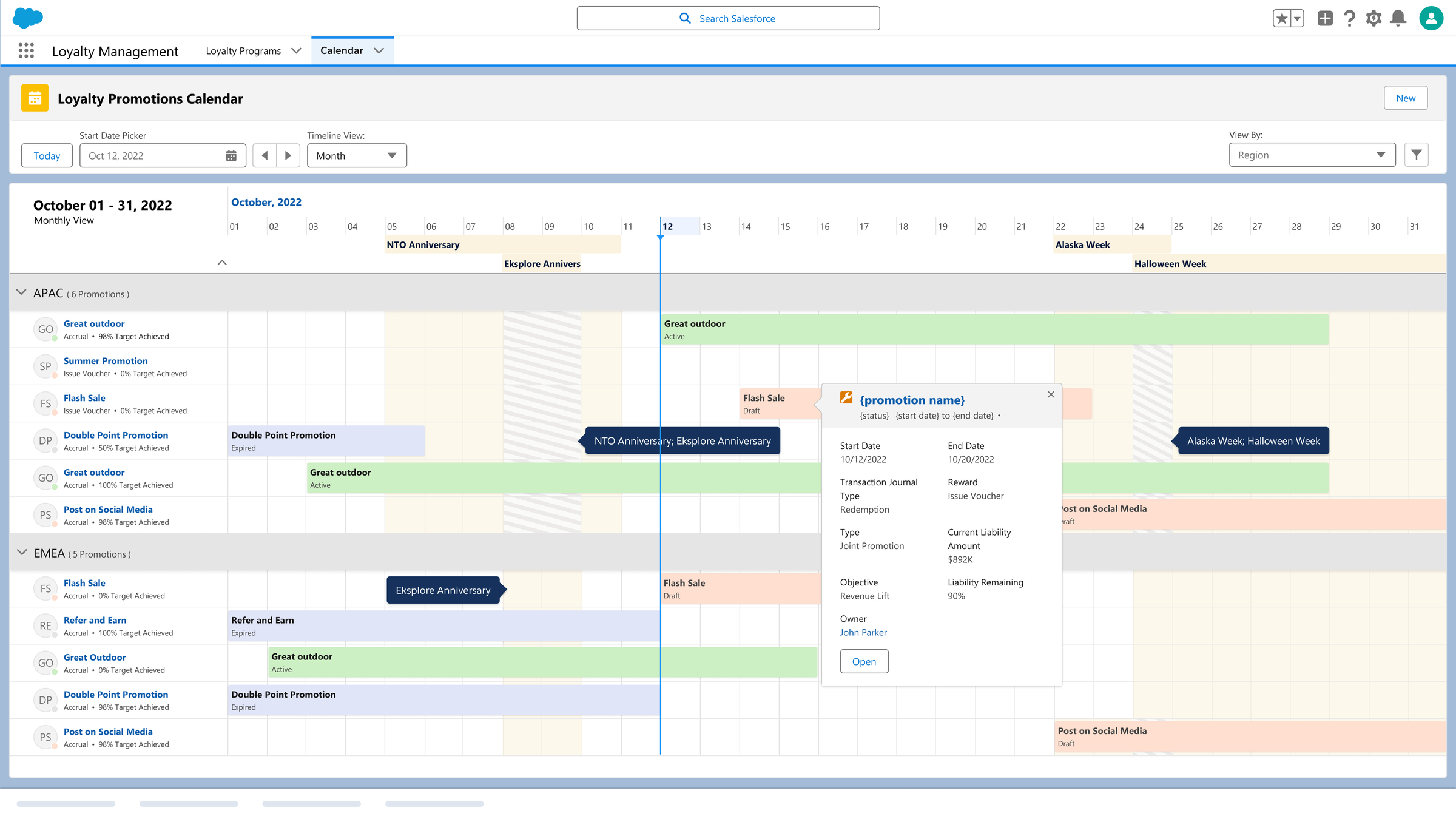
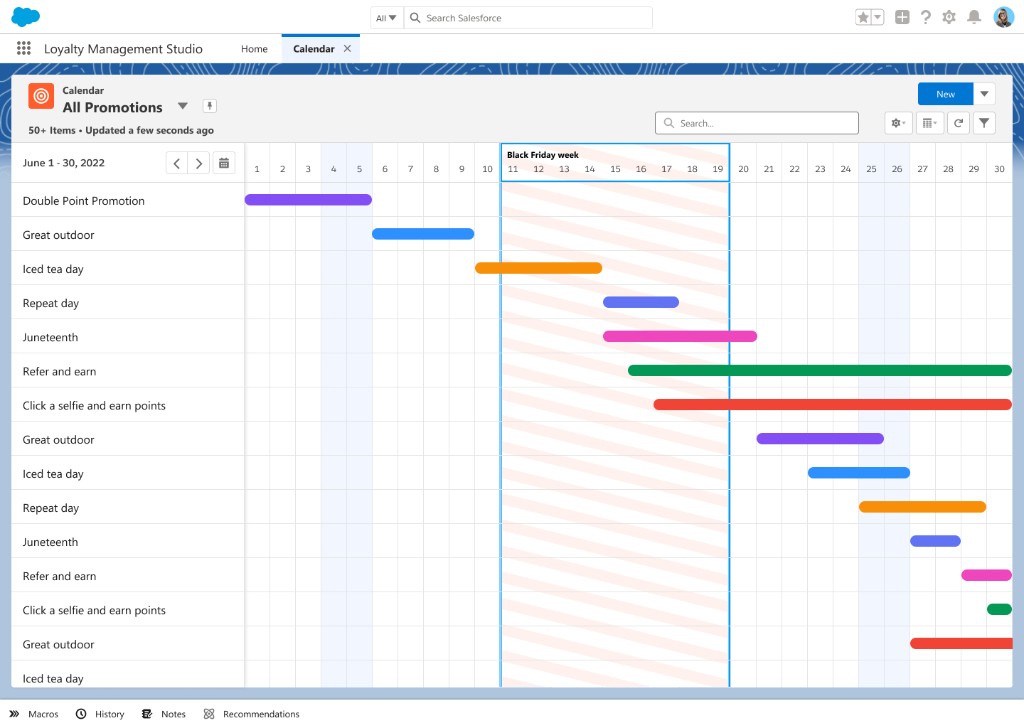
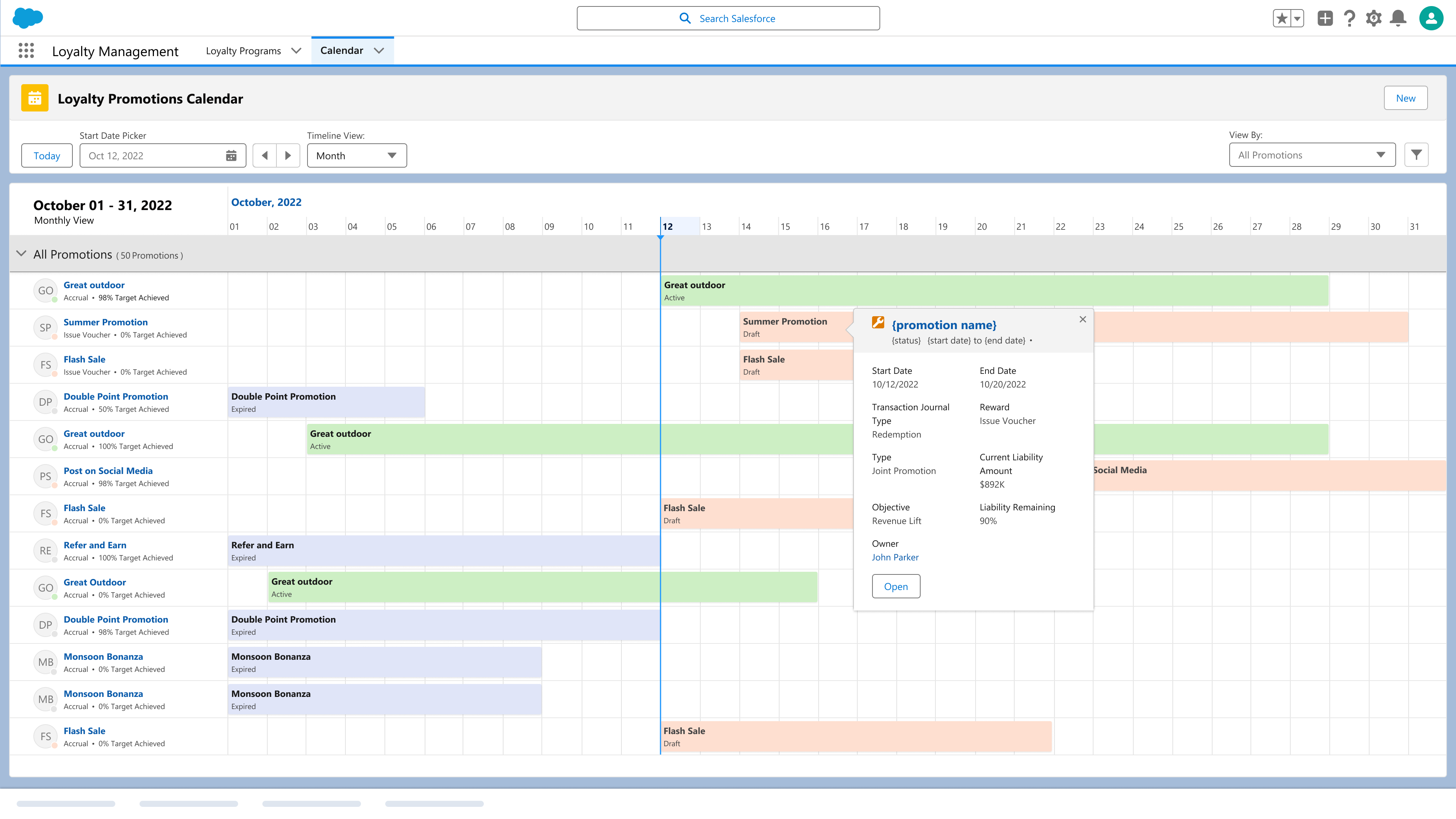
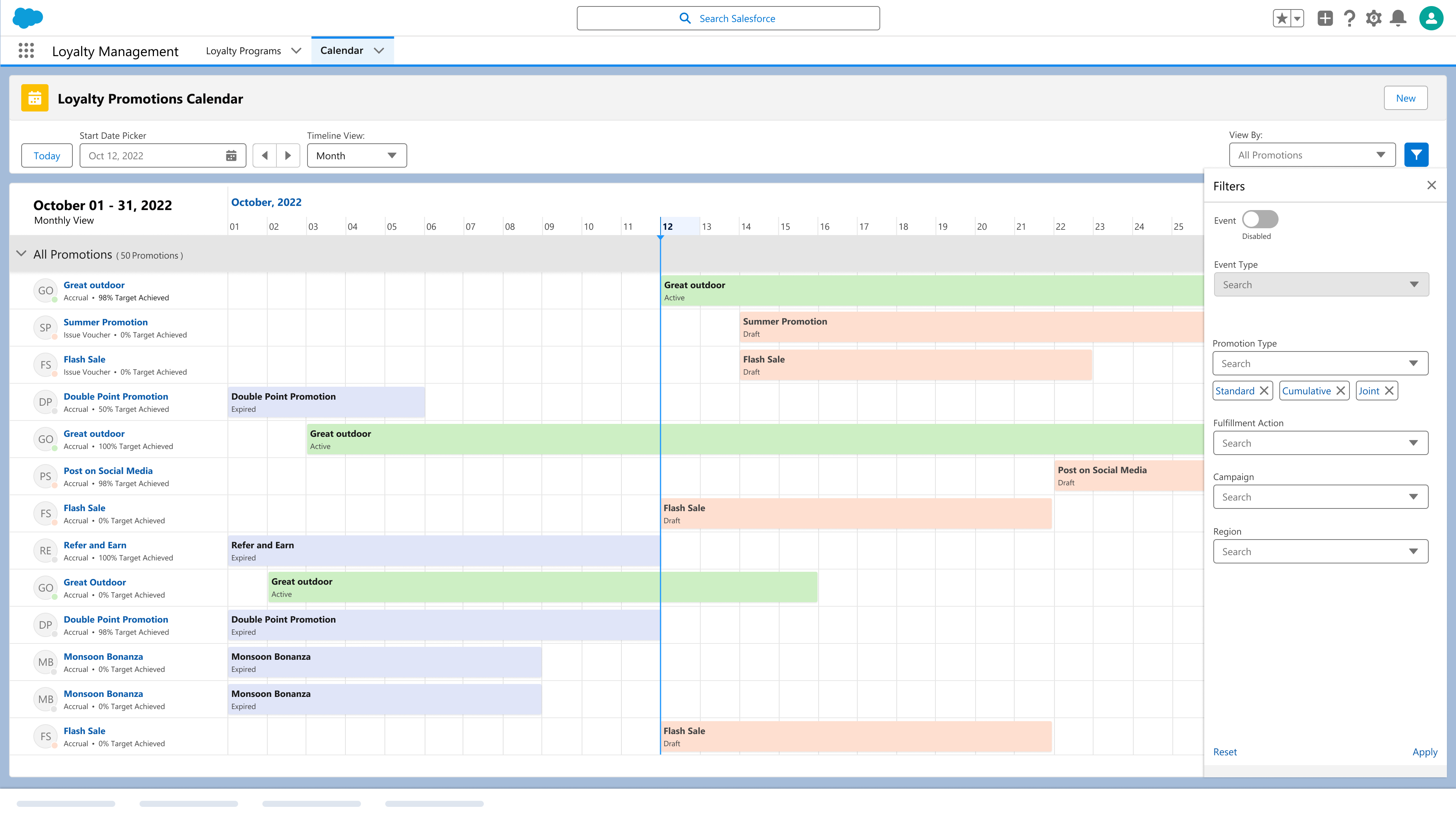
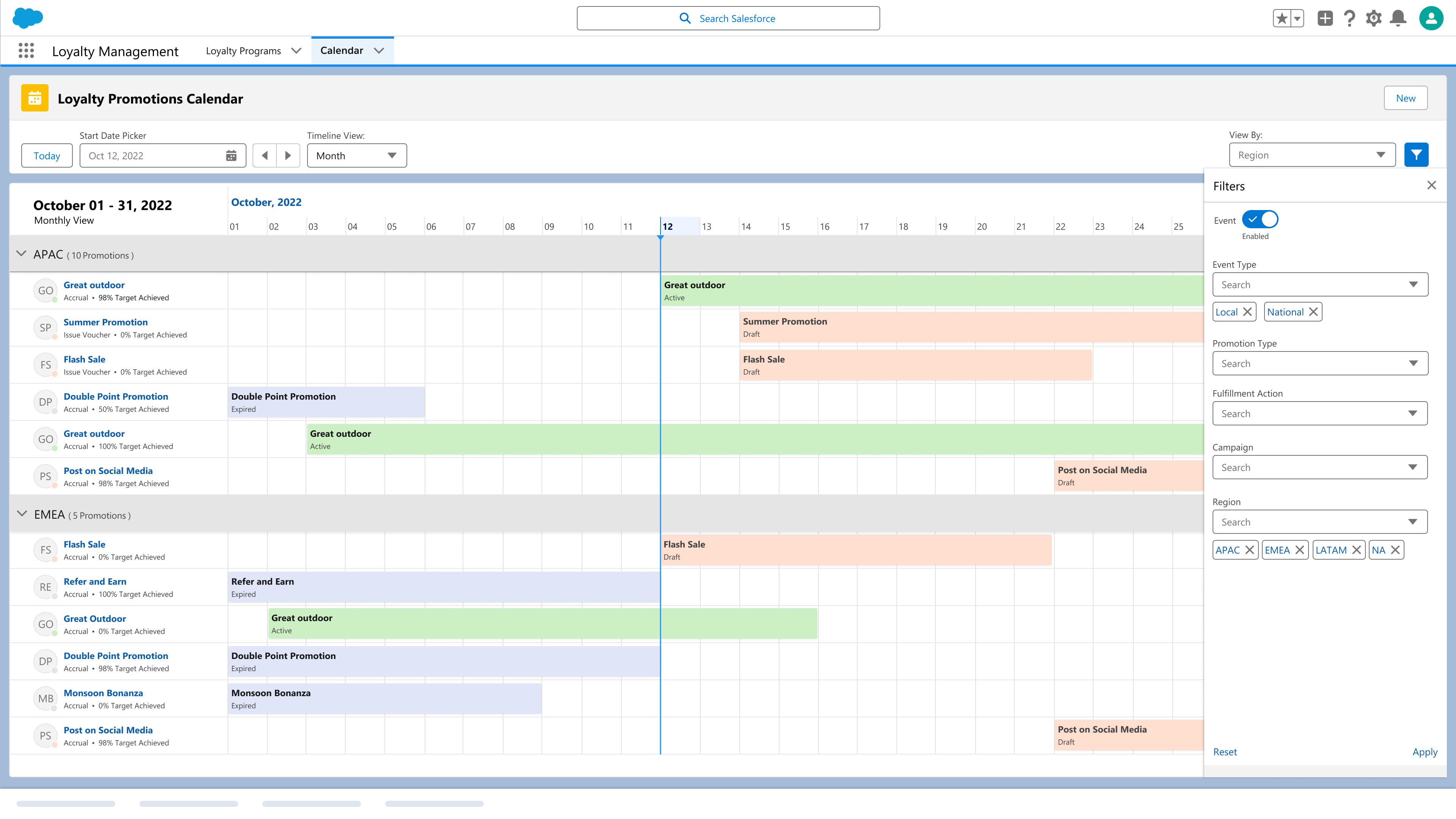
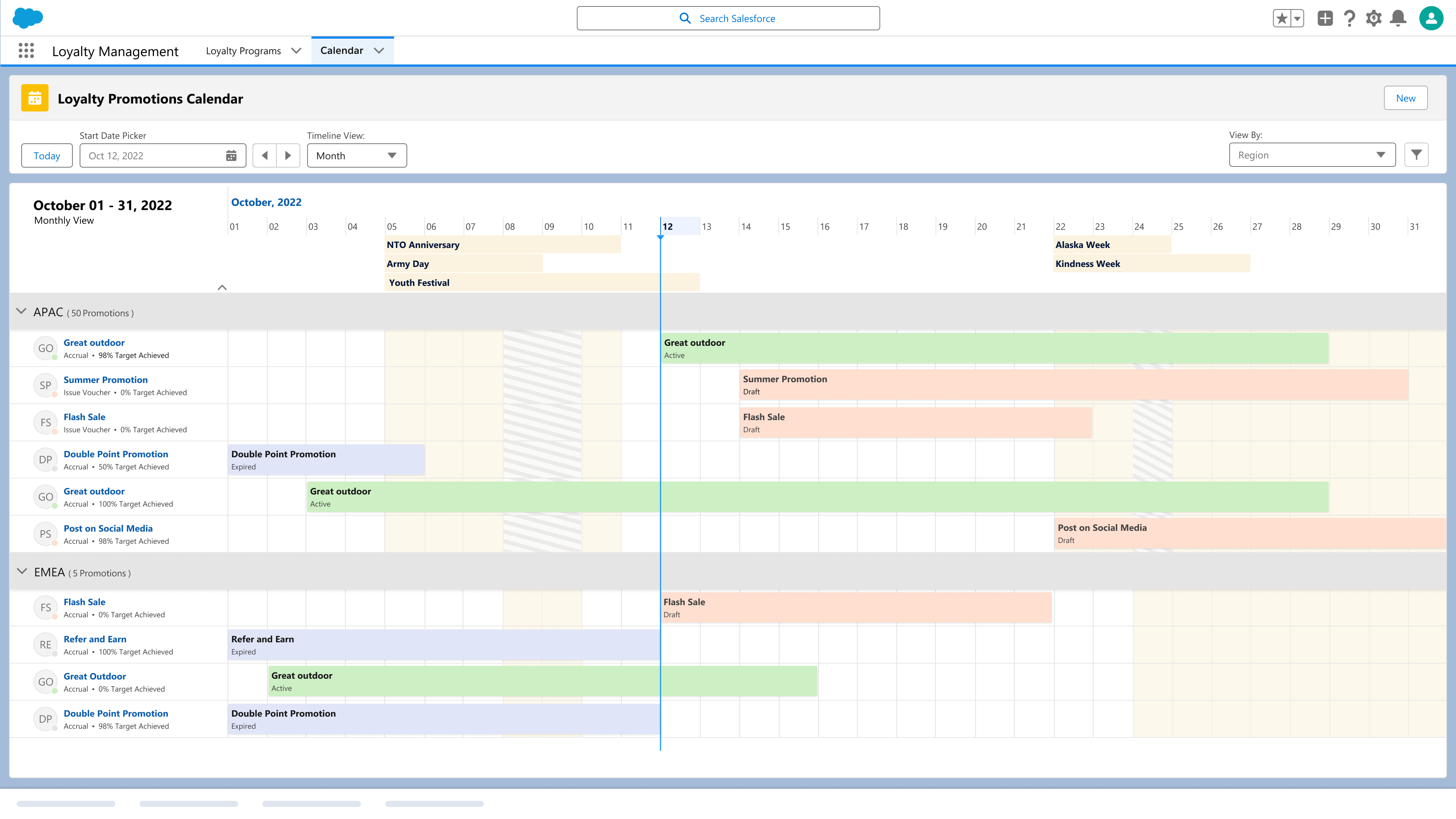
Calendar-based Gantt view of promotions and events, grouped and filtered by product, geography, and customer segment, with weekly, monthly, yearly, and custom date ranges. Multiple preconfigured views, hierarchical aggregation, and Gantt bar color by status or product category.
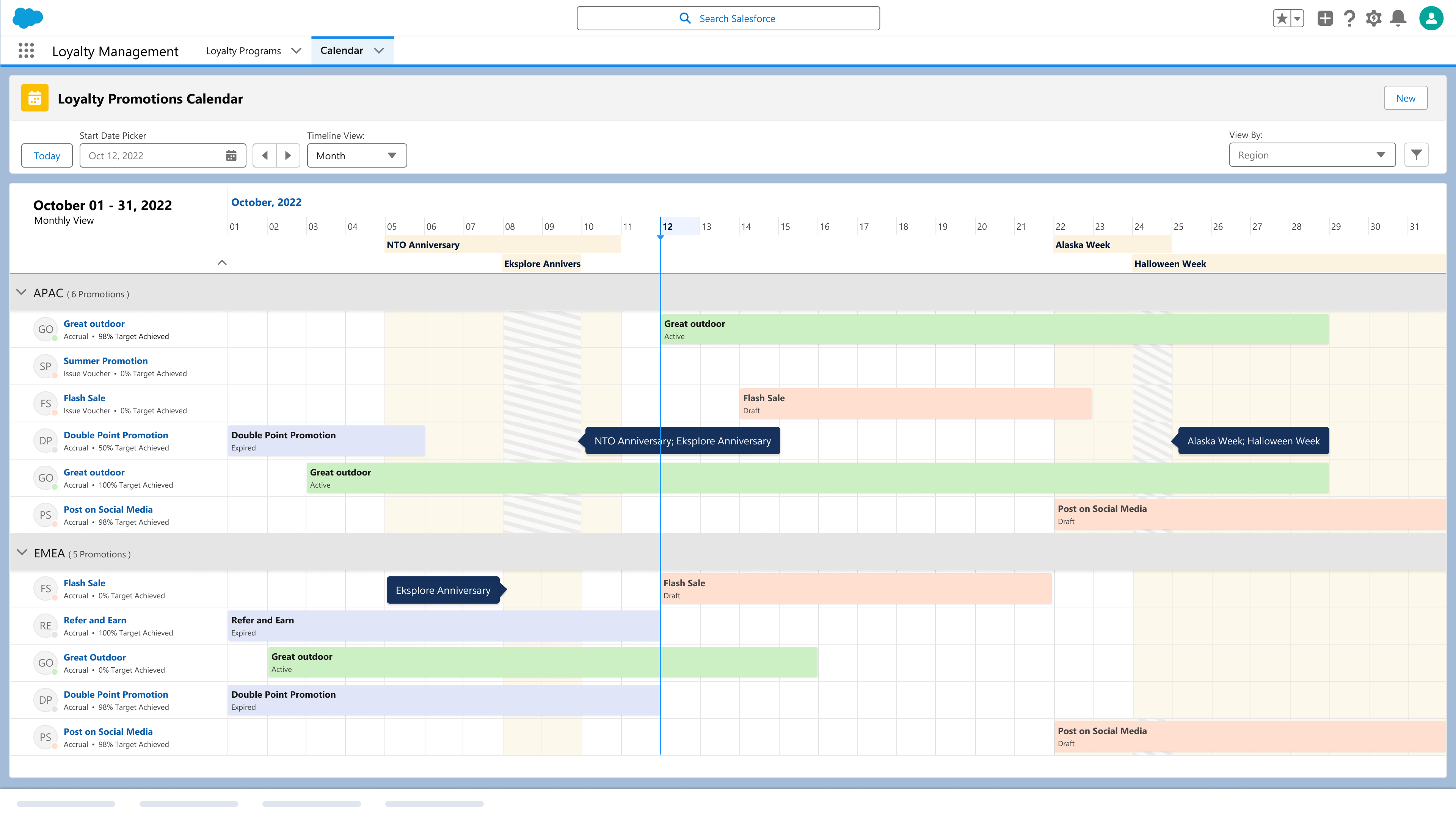
Over-run display surfaces promotions and events scheduled on top of each other, so collisions and white space are visible in the view rather than discovered after launch.
Create a promotion in one click from the view, and edit an existing one to extend or curtail its end date. The data model supports multiple promotion and event types.
Simple performance indicators per promotion (ROI, budget, percent completion to goal), plus email, export, and import through Excel, CSV, and links so promotions built in other systems appear on the same timeline.
Research and Analysis
Three of the four job clusters looked like problems other Salesforce teams had already solved, so before committing to a build I benchmarked every calendar we could borrow from against the same jobs-to-be-done and the same functional checklist.
Retail constructs already modeled on the TPM Promotion object: promotions, ROI, products, customer segments, geographies. Create in the calendar view, open the account plan through P&L, and filter by custom date, partner, product, category, promotion phase, and type.
Configurable on any Core object, likely needing code. Custom calendar views, Y-axis grouping across any two objects, attributes on the resource, category filtering, and resource phase. Hover detail was slated for 244.
Resource against week-of-month, with appointment slots and shifts separated by color, the same two-object grouping, attributes on hover, filtering, and a confirmed or not-confirmed phase.
The competitor benchmark for functional parity: Gantt view, group by, full time dimensions, over-run display, import and export, and hover detail with key metrics.
| Functionality | TPM | FSL | Scheduler | Dynamics |
|---|---|---|---|---|
| Calendar-based Gantt view | Yes | Yes | No | Yes |
| Change Group By view | Yes | Yes | No | Yes |
| Weekly, monthly, yearly, custom ranges | Yes | Yes | Daily, weekly only | Yes |
| Over-run display for overlaps | Yes | No | Yes | Yes |
| Email, export, import | Import only | No | No | Yes |
| Gantt bar color | Yes | Yes | Yes | Yes |
| Hover to detail with key metrics | Yes | No | Yes | Yes |
| Add and edit on the calendar view | Yes | Yes | Yes | Yes |
| Overlay against last year | No | No | No | No |
| Collaboration | No | No | No | No |
Not one product, internal or competitor, supported year-over-year overlay or stakeholder collaboration. Both moved to 244 as roadmap work rather than capability we could borrow.
Three options, weighed
Early Versions
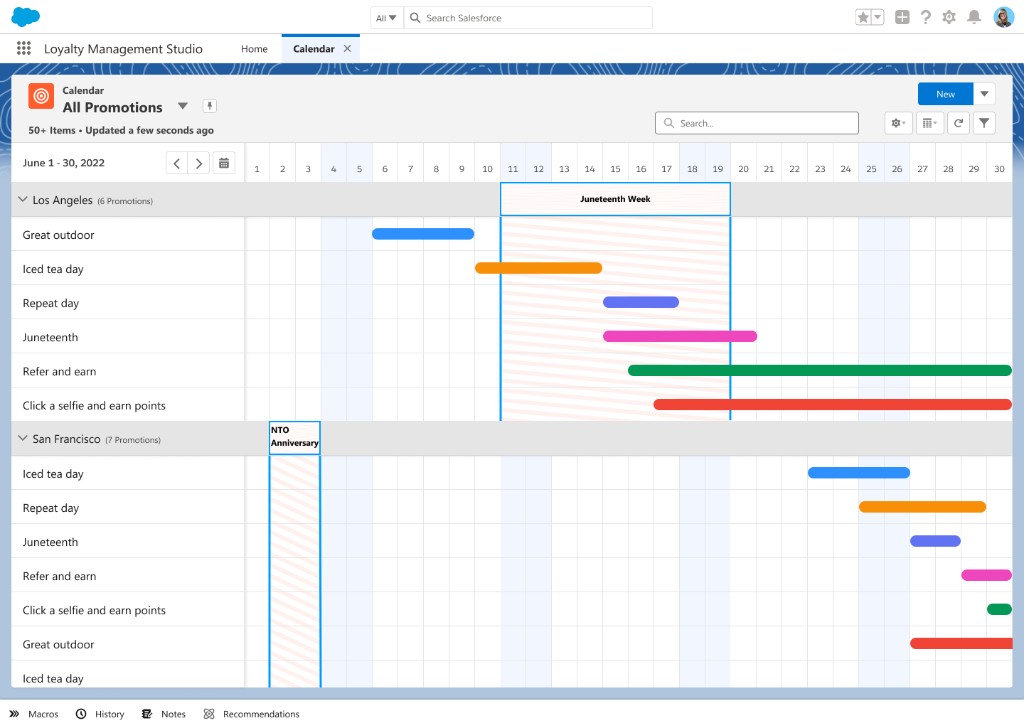
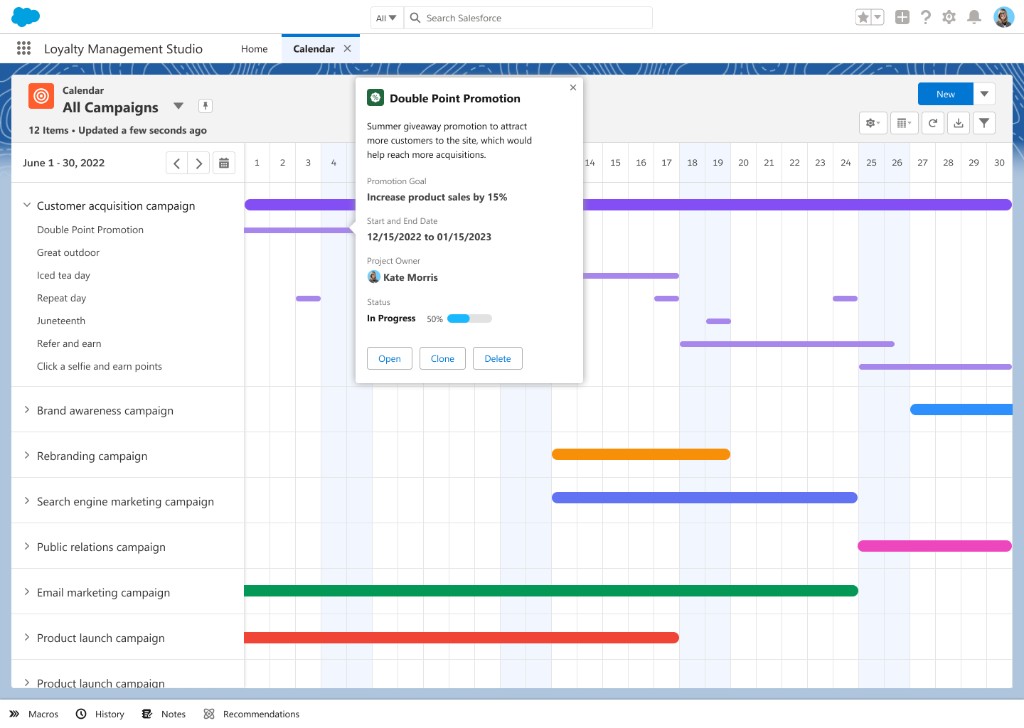
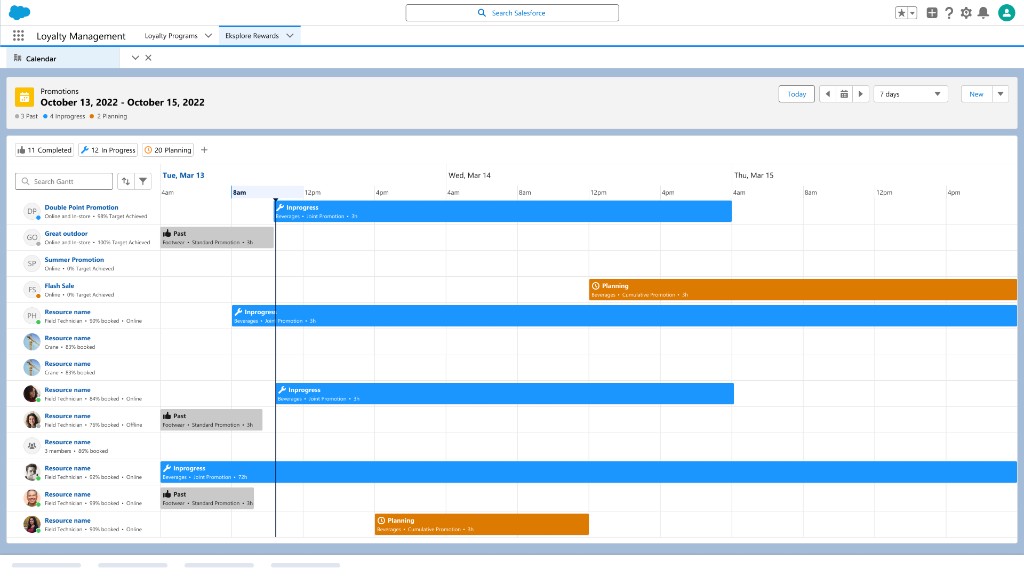
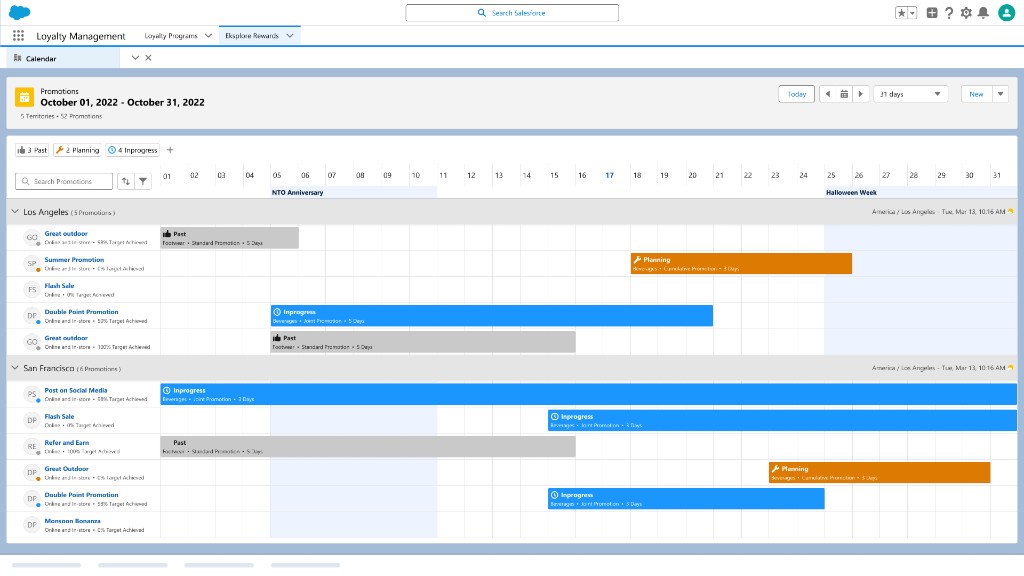
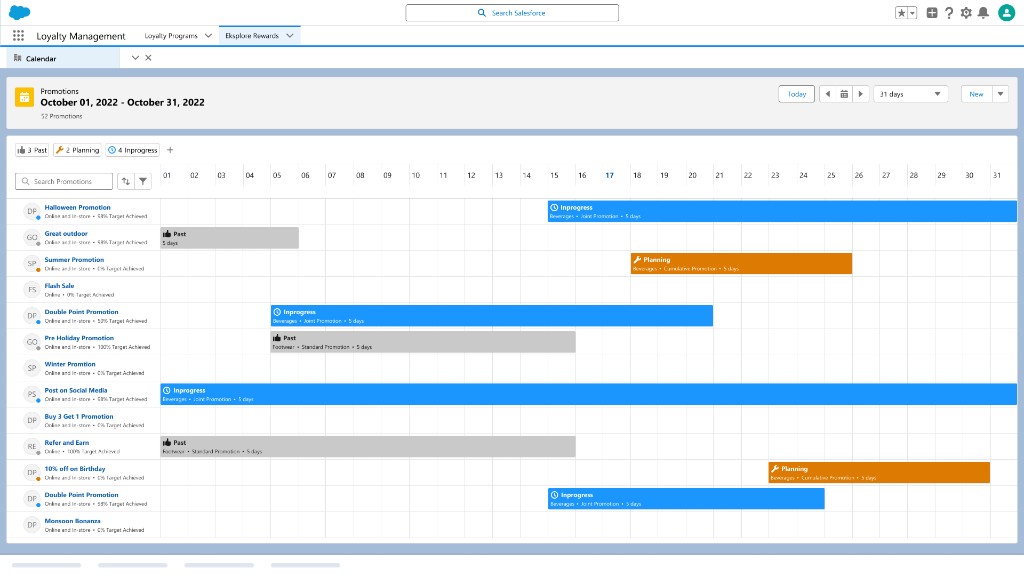
Four rounds of iteration, each narrowing how much of a program a single timeline could carry before it stopped being readable. Because the view leans so heavily on colour and iconography to carry status, every round was vetted with the Accessibility team, so that nothing in the calendar depends on colour alone.
Final Version


Behind the Design
TPM already covered almost every function on the checklist, so reuse beat a fourth build. The release went to the two gaps no product had.
One flat timeline that View By regroups, rather than a saved view per stakeholder. Hundreds of promotions stay legible, and coverage reads per market.
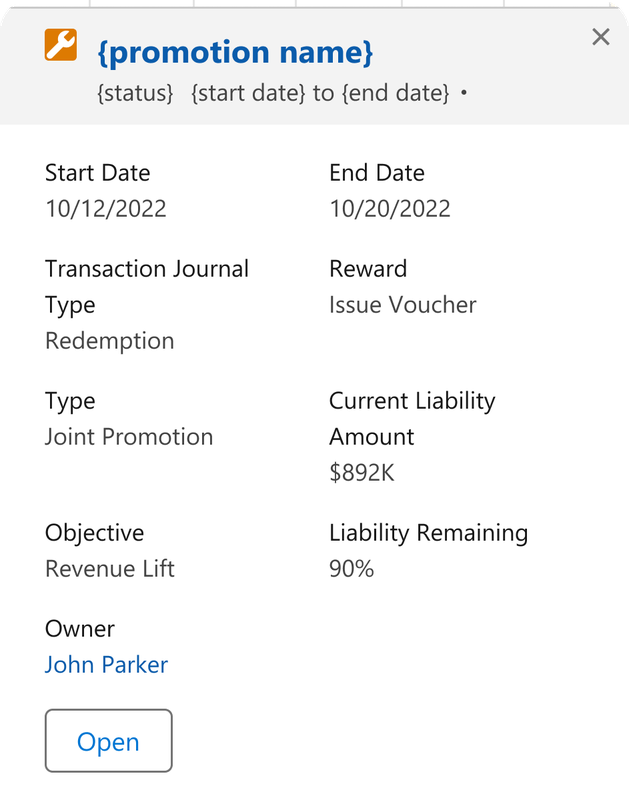
Colour carries status, overlap, and events, so every round was vetted with the Accessibility team. Bars also carry labels, groups carry counts, and hover names the event.
Outcome
Promotion Calendar
0 → 1
designed the product from conceptualization all the way through to GA
3 Calendars
already in Salesforce, audited feature by feature, so reuse beat building a fourth
0 Duplicate
offers, because the calendar surfaces promotions already running before a new one is built
350+ Brands
with notable early adopters in 2023 including IHG, Mecca, and Marriott Bonvoy